Properties Catalog: Collect App Information

Introduction
If you have worked with Intune before, you already know about the discovered apps reports. The report shows all the apps that has been installed by the user and from Intune on your managed devices.
The properties catalog in Intune can now include application properties. It include information such as name, context, install location, uninstall/modify command and so much more. That's pretty cool, I would say!
Properties Catalog
The properties catalog can include a lot of other good information, it can be configured easily from the configuration tab in Intune. You can configure all the properties or individual properties such as CPU, OS version, BIOS info and so on.
These information can be really valuable, if you have a need to look into hardware or application information on your devices.
Configuration
The configuration of the properties catalog is straight forward, you have to select which properties you would like to have included.
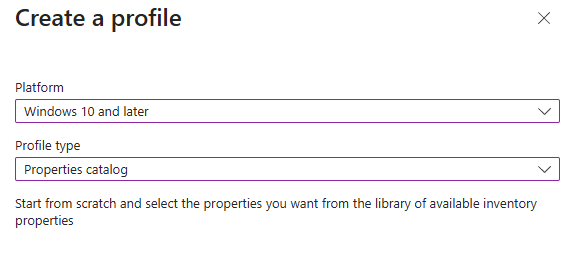
- Navigate to the Intune portal, devices and click on configuration. From here you can create a new policy and select Windows 10 and later as platform, and lastly profile type as properties catalog.
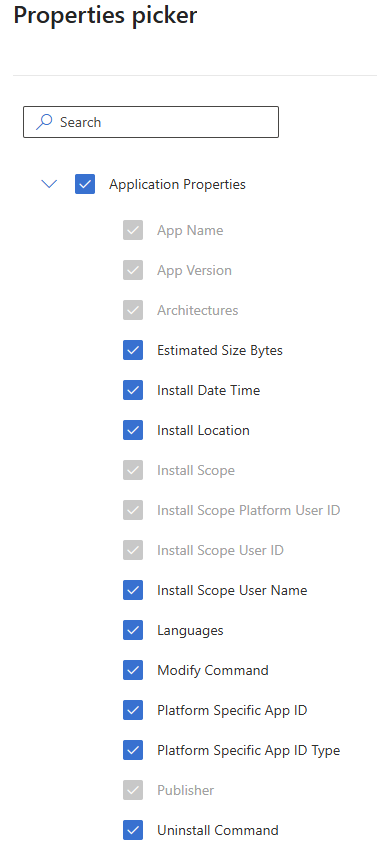
- Name your policy according to your standard, and navigate to the next page. From here you have a full list of properties, and in our case we need application properties.
- Click next and make your assignments to a test group.
Device Perspective
When talking about properties catalog or inventory in general, there is a lot of exiciting places to look on a device. An example is to look under the "Device Inventory Agent" folder in program files.
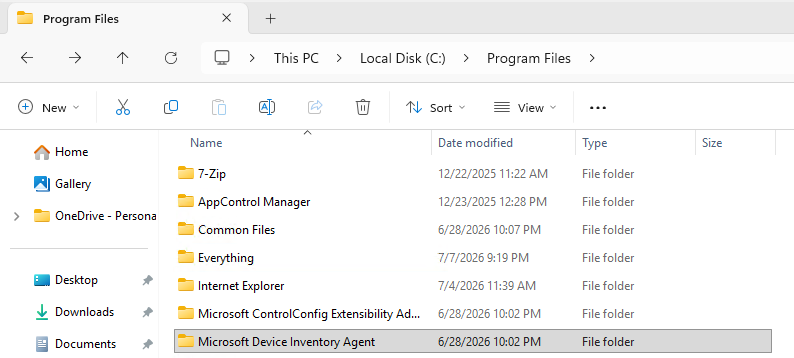
You will quickly notice "InventoryService.exe" in that folder, that will also run as a background process on the device, if you look closer in the task manager.
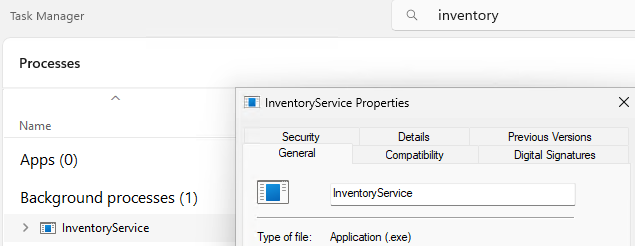
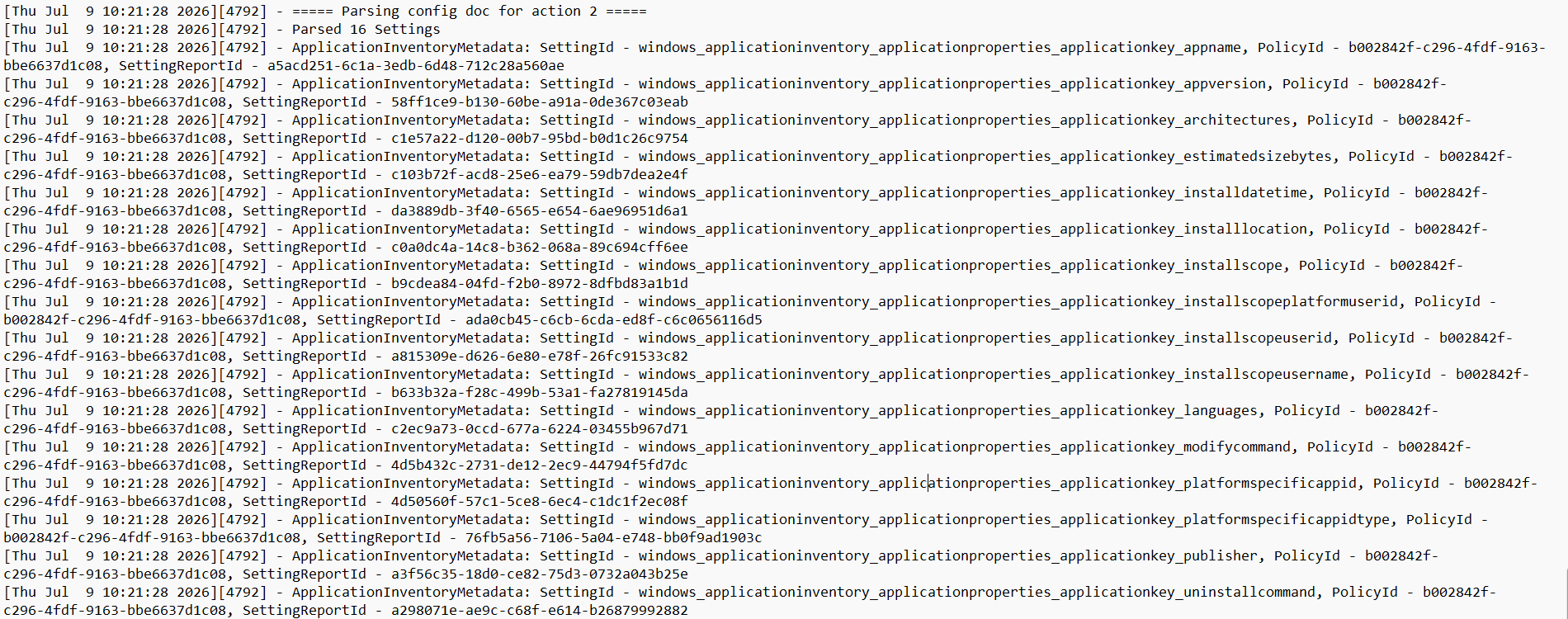
The log files (C:\Program Files\Microsoft Device Inventory Agent\Logs) will start to be populated. The InventoryAdaptor.log will show which settings that are harvested, and luckily for me all 16 settings I configured are included.
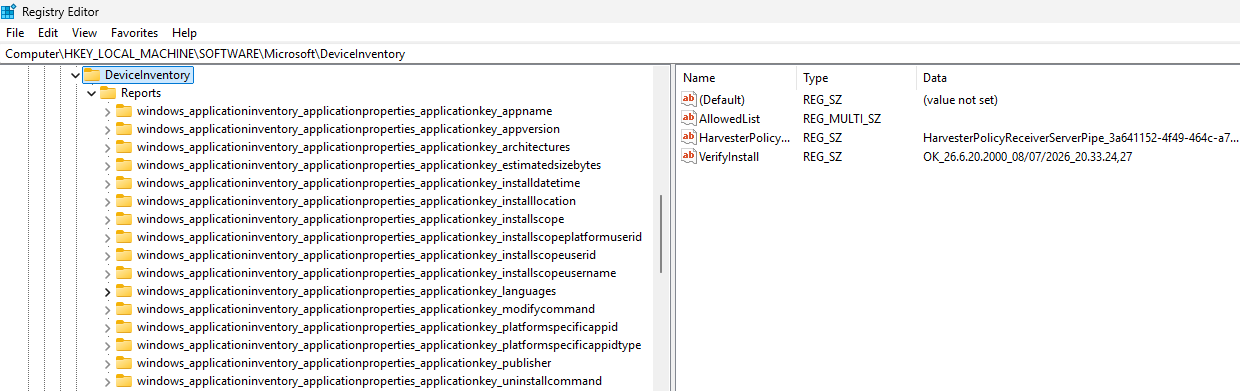
Would you believe me, if I said there is some useful information in the registry as well? You will be able to see the different properties, that you've configured in Intune.
There is one last place to look for useful information, if you navigate to the InventoryService folder and open "InventoryUploader.sqlite". This is where all the information are stored.
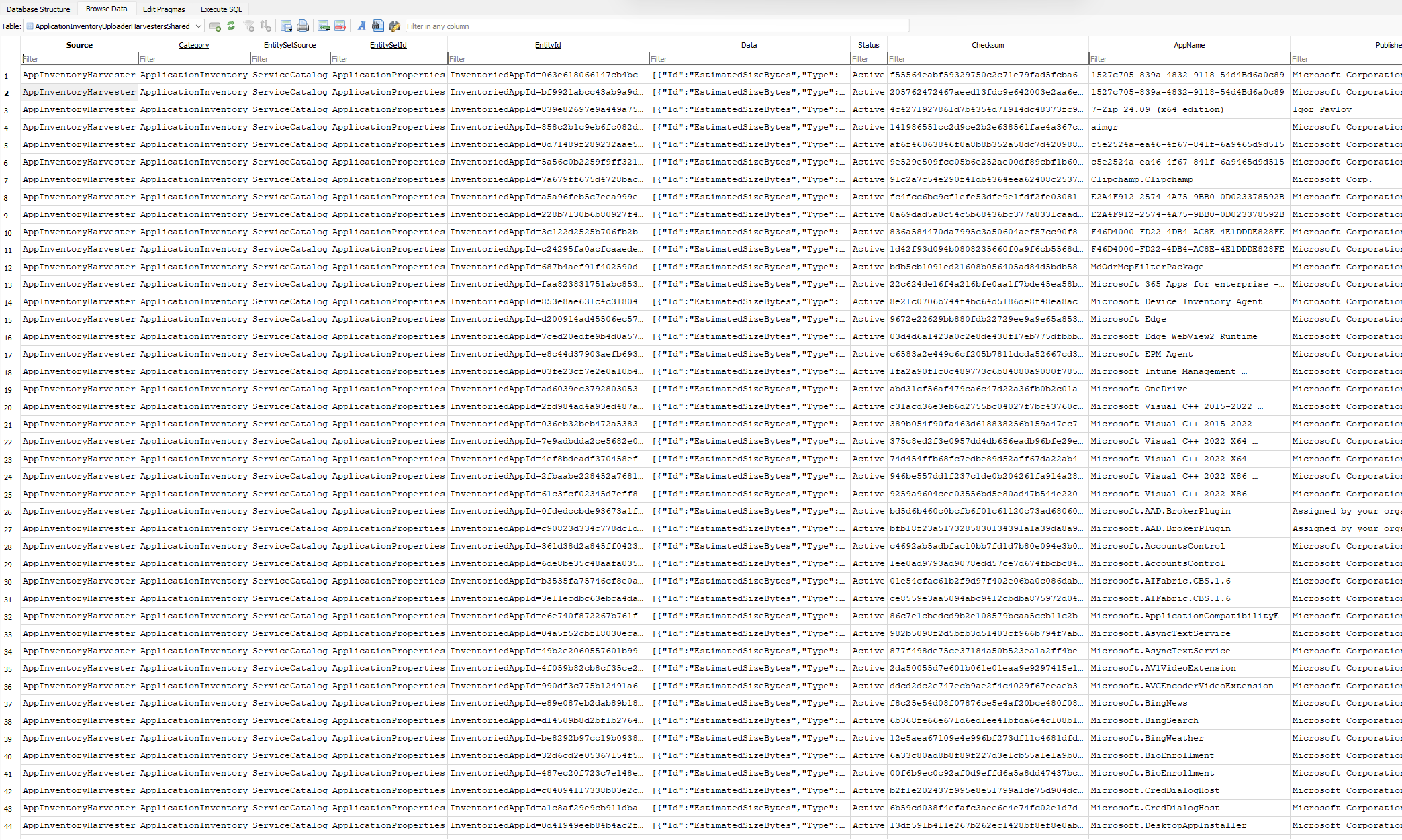
If you take a closer look to the "Data" column, and copy/paste the text into notepad, you will see the data that is being available in Intune, once it's being uploaded.

Admin Perspective
To find the uploaded data from the devices, you have to navigate to the devices overview in Intune and select one of the devices included in the assignment.
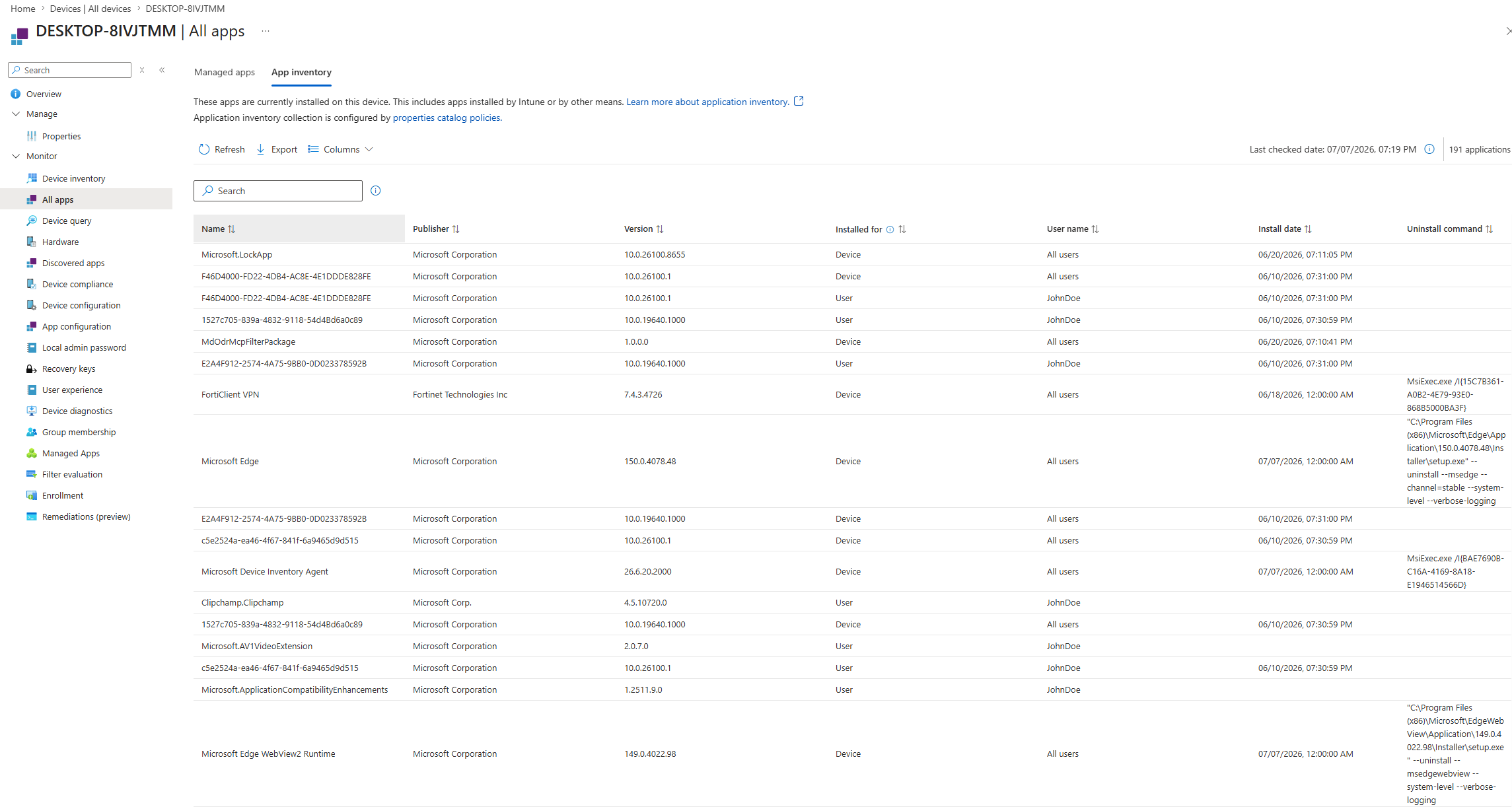
Click "All Apps" and select the "App Inventory" tab. Once you get in there, you will see the information from applications, that have been collected by properties catalog.
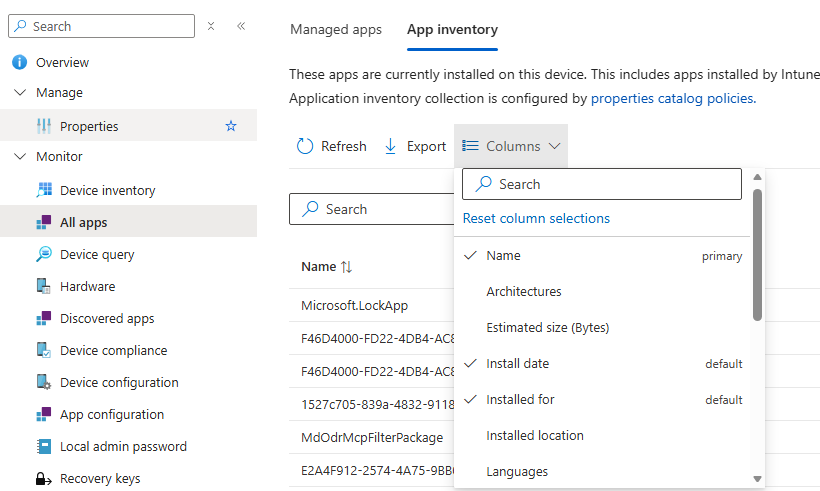
If you feel like there is missing information in here, you can add the missing columns.
Conclusion
Collecting app properties is in my opinion a great idea, because it gives you insights into your applications that are installed on your device. I recommend you taking a look at it, and see if it can help you.
I hope you enjoyed this blog, have a great summer.